Your AI receptionist
Clarifies which service a caller wants, honors a barber preference, reads back the time and asks for confirmation before booking.
- Service clarification
- Barber preference
- Time readback
- Booking confirmation
AI booking for barbershops
LineUP helps your customers find the right service, the right barber and the right time, through a voice agent, a guided chat assistant and a booking widget branded to your shop.
Personal setup for your shop.
 Demo data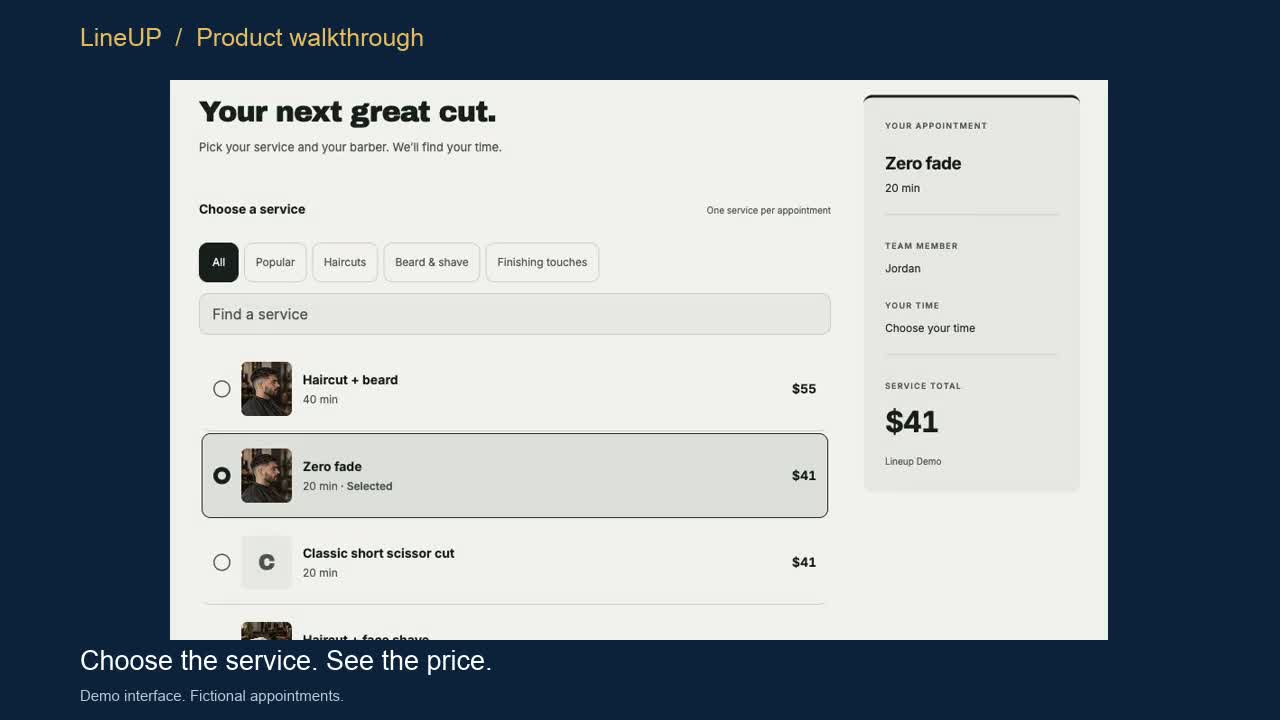
What LineUP does
Clarifies which service a caller wants, honors a barber preference, reads back the time and asks for confirmation before booking.
A branded booking widget with your service and staff photos and a clean mobile flow from service to confirmation.
Manage your Square services, team and hours in one place
Personal setup and testing for your shop. Additional connections are coming soon.
Connections
Guided setup
Services, barbers and appointments.
Coming soon
More payment options for your shop.
Coming soon
From shop conversations to booking.
Coming soon
A booking next step in customer chats.
Coming soon
A booking path for customers finding your shop.
Coming soon
From discovering your shop to choosing a time.
Demos
Product walkthroughs. Demo data.
Walkthrough 1 · 20 seconds · Silent, with captions
Choose a service, barber and time, then confirm a demo booking. Fictional data.
Walkthrough 2 · 15 seconds · Silent, with captions
Explore services, barbers and times through guided on-screen choices. Demo data.
Want to see it with your own services and team?
Book a LineUP demoIllustrative demo
Three fictional journeys, including attempts that do not lead to a booking. Nothing here sends a call, text or message.
Phone / Fictional customer: Jamie
Jamie requested one callback about an unfinished booking.
Simulation only
STEP 1 OF 3
Jamie selected a beard trim but did not confirm a time.
No appointment created
Illustrative contact attempts: 0
Demo examples. Follow-ups are coming soon.
Illustrative example
A written example of how the voice agent handles a call. It is not a recording. The agent confirms the service, barber, time and price before it books.
In a sandbox test, the voice agent clarified a beard trim with Alex and created the matching booking in a Square test account.
Caller
Hi, I'd like to book with Alex.
LineUP
Happy to help. Which service would you like with Alex?
Caller
A beard trim.
LineUP
Alex has Saturday at 10:00 AM open. That's a beard trim with Alex, Saturday at 10:00 AM, starting at $20. Shall I book it?
Caller
Yes, please.
LineUP
You're booked with Alex for Saturday at 10:00 AM.
Guided setup
Services, prices, barbers, hours and the questions customers ask most.
We connect Square and set up your team and services with you.
You try the flows yourself, then we activate the channels you choose.
Book a demo through our scheduling page. Setup is guided from first call to activation.